 ZumiLabs
OmniCapt requires Google Chrome or Microsoft Edge. Open this page in a supported browser to install the extension.
Capture Once. Review Anywhere.
Whether you're testing a release, reviewing accessibility issues, monitoring competitors or documenting a website, OmniCapt turns hours of manual capture into a repeatable, automated workflow.
❌ The Manual Way
- • Open the target page in your browser
- • Resize browser manually to test viewports
- • Take screenshot of the visible area
- • Save and rename file manually in folder
- • Repeat 100 times per release
✓ The OmniCapt Way
- • Save named groups of URLs once
- • Configure desired resolution sets
- • Run the batch capture in one click
- • Automatically save all files to local folder
- • Works in background while you continue working
Automate your screen capture goals.
OmniCapt fits directly into your professional pipeline, automating tasks that used to take hours.
Responsive Website Audits
Capture every page at desktop, tablet and mobile resolutions automatically. No manual browser resizing.
- • Design & Layout QA
- • Accessibility reviews
- • Client deliverable sign-offs
- • Visual regression testing
Accessibility Evidence Packs
Capture issues, annotate screenshots, and create structured compliance evidence folders for developers.
- • WCAG compliance audits
- • Visual bug reporting
- • Developer handoff packs
- • Compliance documentation
Competitor Monitoring
Archive target websites over time. Automatically capture page updates and compare changes between releases.
- • Competitor website tracking
- • Marketing campaign archives
- • Design inspiration tracking
- • Content monitoring & history
Complete control over your captures.
OmniCapt's bulk capture capabilities turn hours of repetitive, manual screenshotting into a background task.
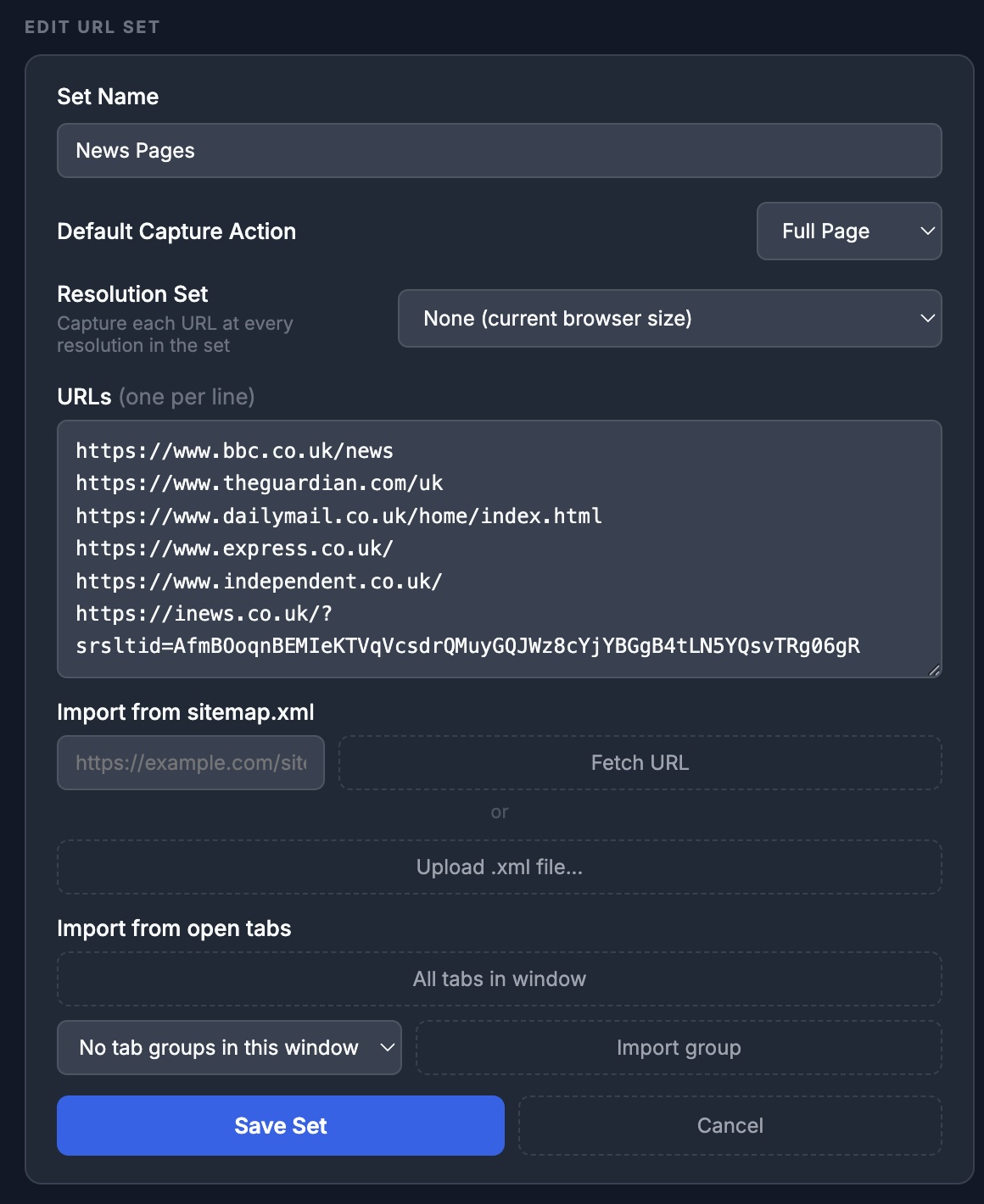
Capture 50 pages as easily as capturing one.
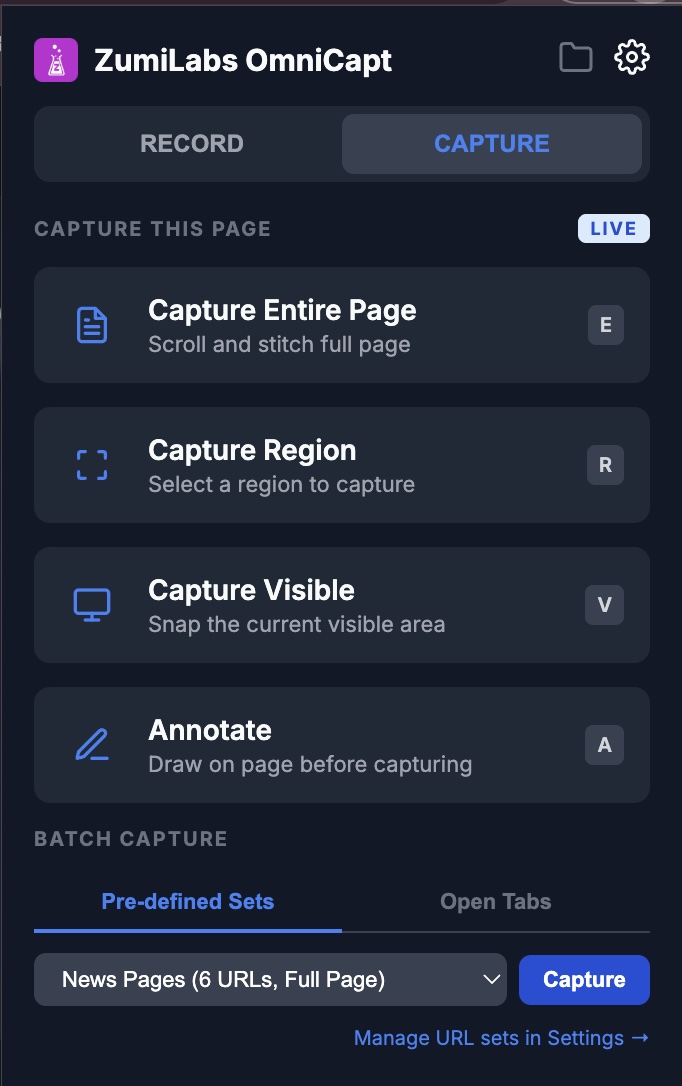
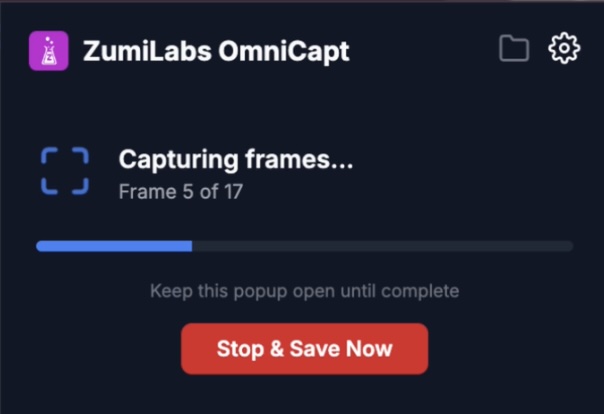
Create a named list of URLs in Settings — your product pages, client sites, competitor pages, or sitemaps. Hit capture once. OmniCapt opens each page, waits for it to load, applies your pre-capture rules, takes the screenshot, saves it, then moves to the next.
Every page. Every screen size. One run.
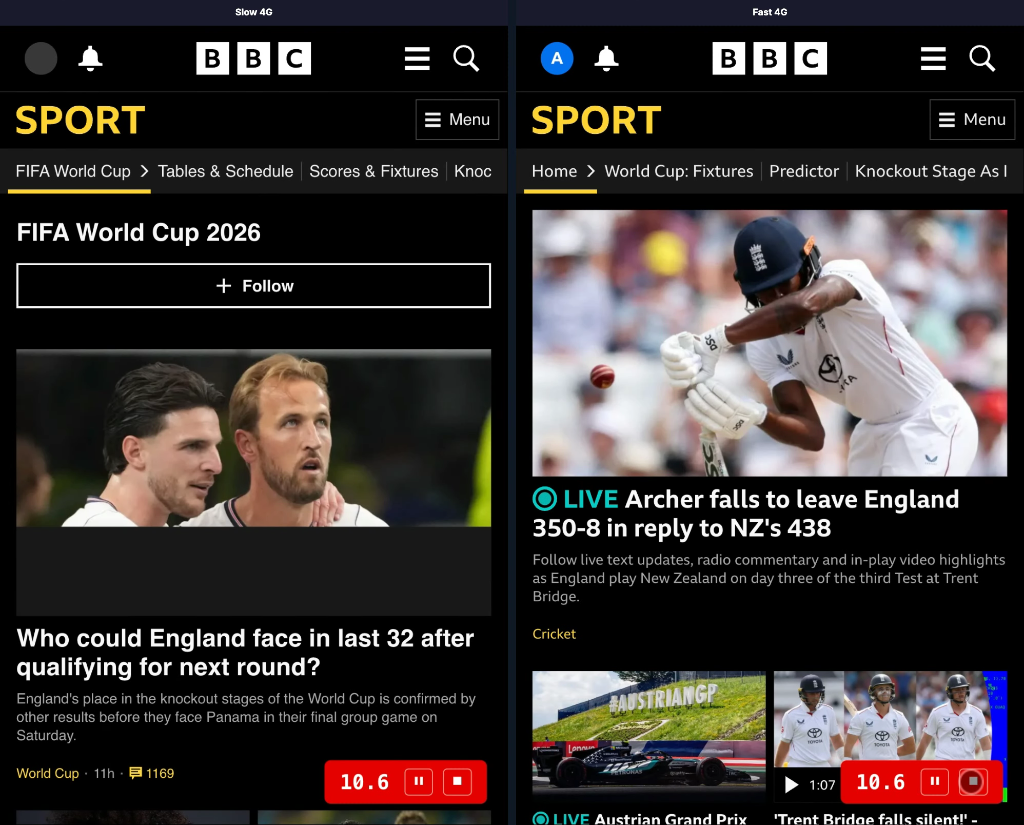
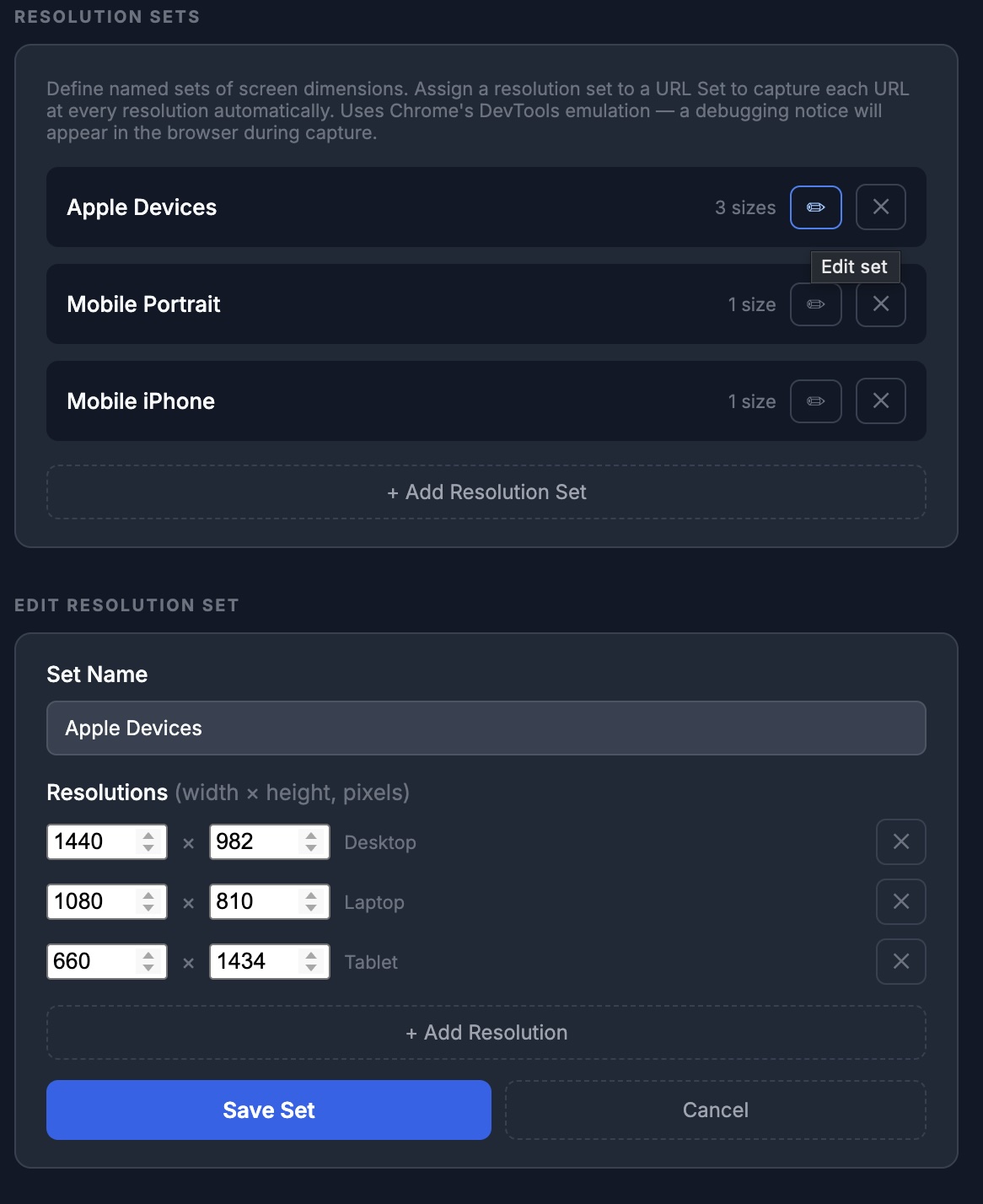
Attach a Resolution Set to any URL Set and OmniCapt captures each page at every viewport size you define — Desktop, Laptop, Tablet, Mobile, or custom resolutions. It emulates each device size accurately in background tabs.
_1920x1080
Screenshot all your open tabs instantly.
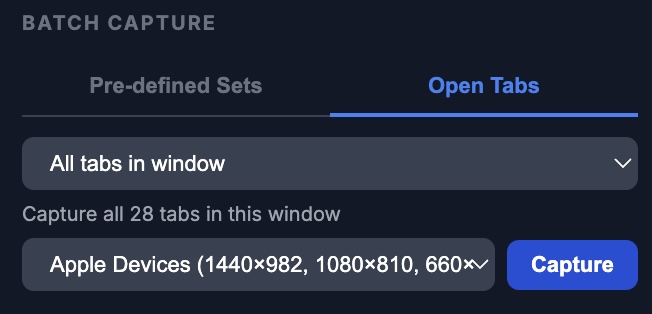
Already have 20 tabs open that you need to capture? OmniCapt can screenshot every one of them — by tab group, by URL pattern, or by whole window — without ever switching the active tab. It uses Chrome DevTools Protocol to capture inactive tabs directly.
Built-In Image Comparison
Most screenshot tools stop at capture. OmniCapt includes a visual compare workflow so you can review changes immediately.
Identify regressions instantly.
Review visual changes without leaving the extension. Open the built-in Comparison Viewer to compare screenshots across environments, releases, or viewport sizes.
Built for more than a quick snapshot.
Most capture tools handle the basics. OmniCapt is built for people who need to do this seriously.
| Feature | OmniCapt | GoFullPage | Nimbus | Loom / Screenity |
|---|---|---|---|---|
| Full-page (scroll-and-stitch) | ✓ | ✓ | ✓ | — |
| Batch capture — URL list | ✓ | — | — | — |
| Multi-resolution per URL | ✓ | — | — | — |
| Capture all open tabs (without switching) | ✓ | — | — | — |
| Auto-hide overlays / cookie banners | ✓ | — | Partial | — |
| Save direct to local folder (no dialog) | ✓ | — | — | — |
| Custom filename format with tokens | ✓ | — | Partial | — |
| On-page annotation tools | ✓ | — | ✓ | ✓ |
| Tab video recording | ✓ | — | ✓ | ✓ |
| Built-In Comparison Viewer | ✓ | — | — | — |
Up and running in under two minutes.
Advanced Settings & Automation
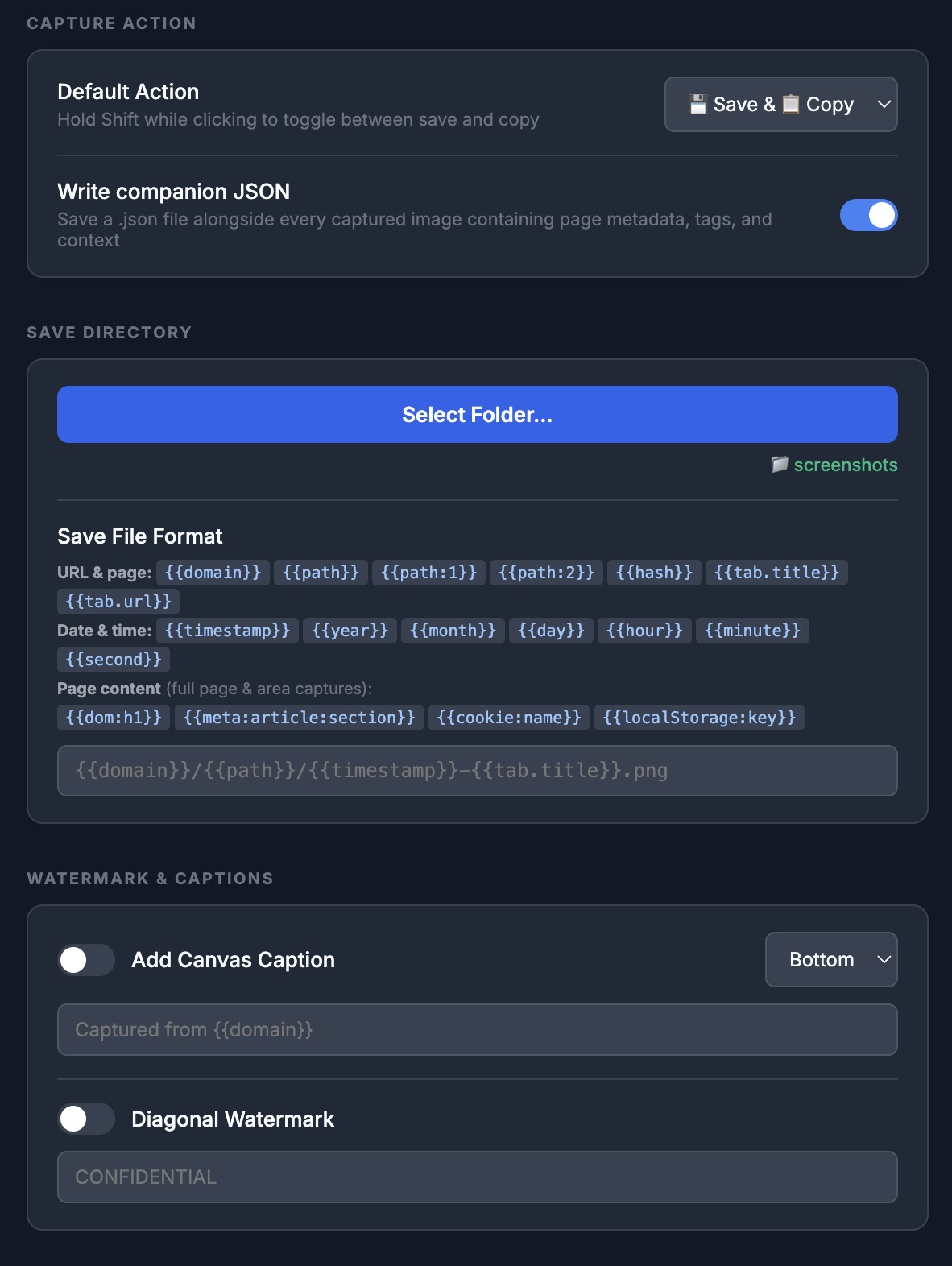
Configure OmniCapt to match your exact testing workflows. Define custom sets of pages, viewport resolutions, and pre-capture rules to completely automate visual audits and manual verification tasks.
More Than Screenshots
OmniCapt is a complete tab management, capturing, and annotation toolkit.
Screen & Tab Recording
Capture user interactions, visual bugs, or complete user journeys. Record tab audio and microphone inputs, and export high-quality recordings directly to your machine.
On-Page Annotations
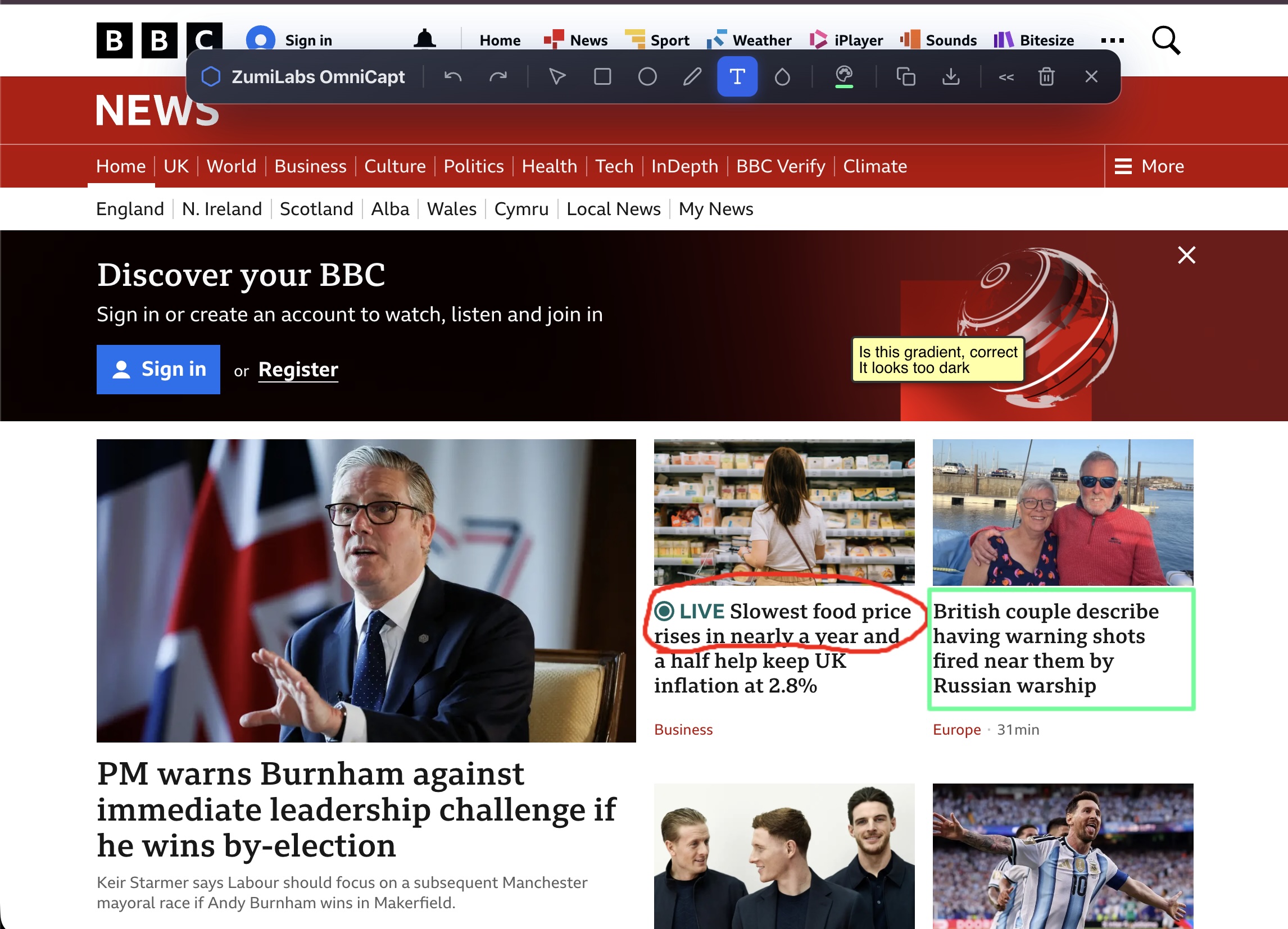
Highlight issues, add text captions, draw arrows, rectangles, and circles directly on the page before capture. Communicate feedback clearly with your development team.
Smart Capture Cleanups
Automatically hide cookie banners, chat widgets, sticky overlays, and scrollbars before taking a screenshot. Get cleaner shots with zero manual editing required.
Tab & Screen Recording
Sometimes a static screenshot isn't enough to capture visual flow, interaction bugs, or layout shifts. OmniCapt enables high-fidelity video recording of your browser sessions, featuring an optional on-screen recording timer to track journey durations, click highlighting, and side-by-side video merging to compare before-and-after flows.
On-Page Markup & Annotations
Draw attention to visual issues, layout misalignments, or copy edits directly. Mark up any active page before performing a screenshot capture.
Integrate and Share
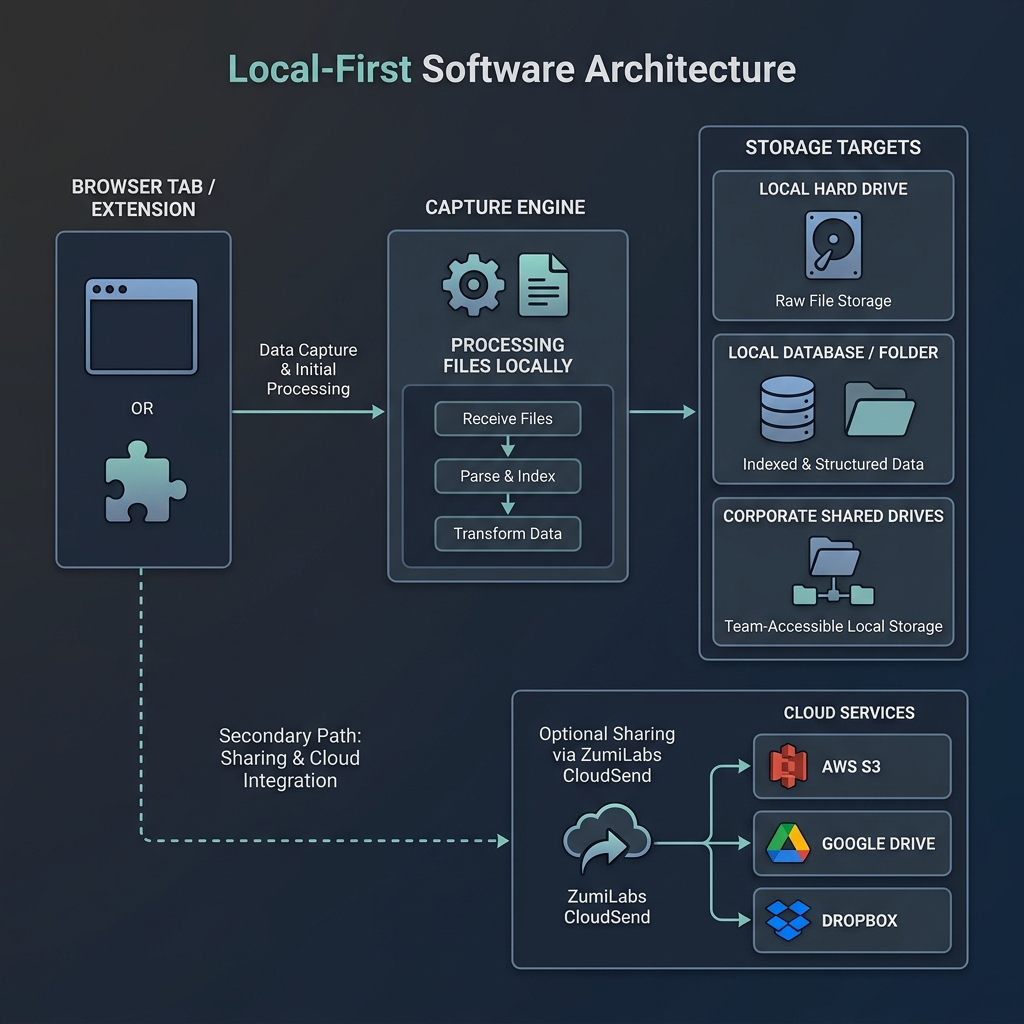
Local first. Connected when you need it.
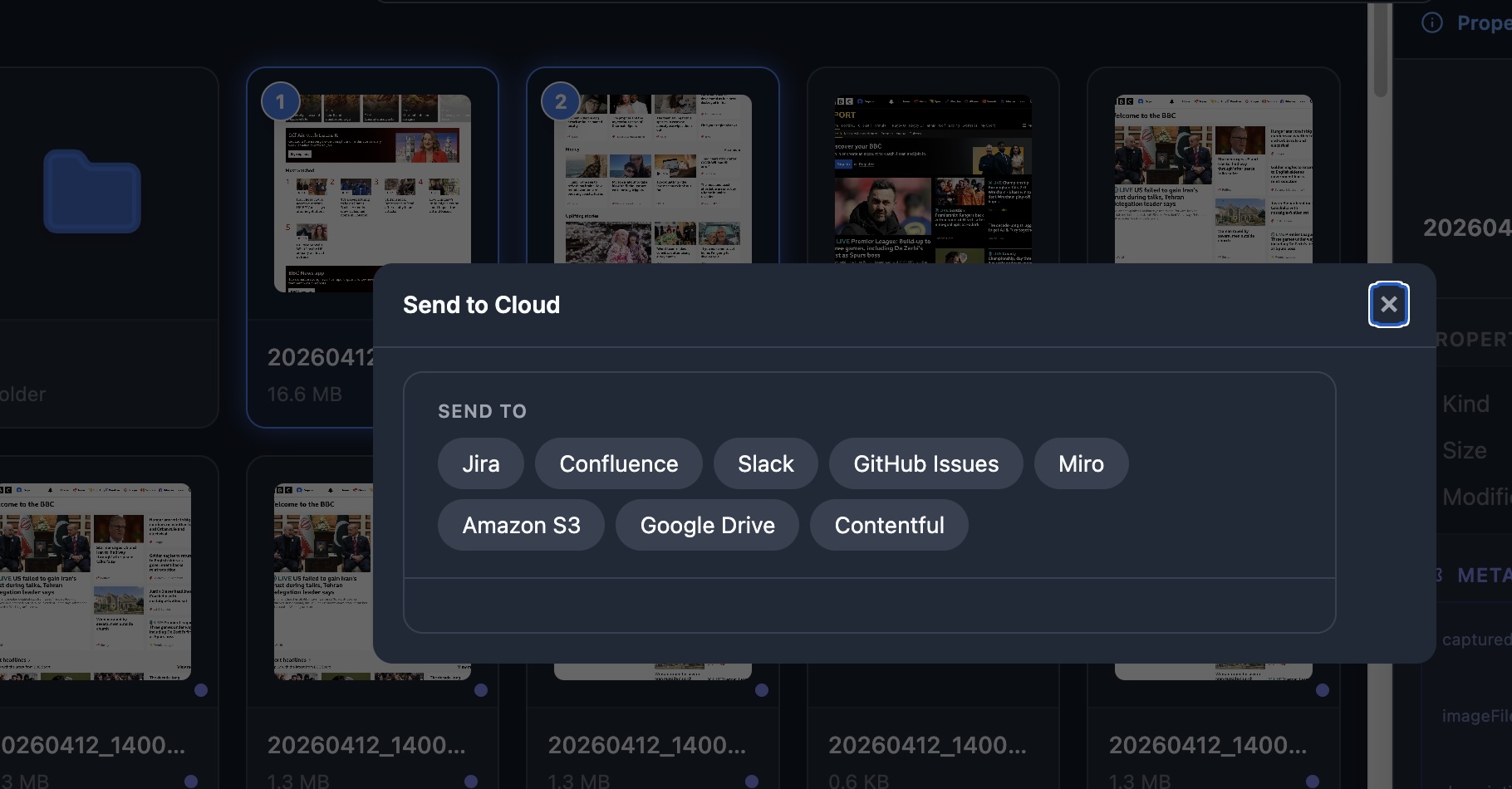
While OmniCapt keeps your data on your own machine by default, it integrates with your favorite tools when it's time to report issues or share visual progress with your team.
OmniCapt is also ready to integrate with ZumiLabs CloudSend to automatically upload your images. Contact us for more details.
Your data stays on your machine. Period.
We don't want your data. We don't want your screenshots, your recordings, your credentials, or your API keys. OmniCapt runs entirely on your local machine and uses your browser's local sandbox.
100% Offline Capability
Capture pages on local dev servers, intranets, or when completely disconnected from the internet. Ideal for air-gapped development environments.
Enterprise grade visual auditing.
Because OmniCapt doesn't rely on third-party cloud screenshot rendering services, you can securely capture internal admin panels, pre-production staging servers, and sensitive user data without risking leakages.
Built For Teams
Whether you're developing, auditing, or managing releases, OmniCapt fits your workflow.
QA Engineers
Automate repetitive browser resize and capture tasks during release cycles.
A11y Specialists
Create accessibility evidence packs and compliance documentation quickly.
Agencies
Generate responsive website audits and visual client deliverables in minutes.
Product Teams
Track UI/UX layout updates and regression changes across multiple releases.
Developers
Document bugs, capture console logs, and compare UI states between environments.
Part of the ZumiLabs Pillar
Works great on its own. Or combine it with other ZumiLabs tools to organise, automate and publish your content workflow.
Explore ZumiLabs EcosystemFrequently Asked Questions
No. OmniCapt is completely local-first. We do not require you to sign up, log in, or create any account. All capturing configuration is stored locally in your browser sandbox.
OmniCapt uses the modern HTML5 File System Access API. When you select a local folder in settings, the browser requests your permission to write directly to that folder. Once granted, OmniCapt saves files directly to that folder without presenting a "Save As" download dialog every time.
OmniCapt opens background tabs sequentially using the Chrome extension background page. It applies your pre-capture clean-up rules (hiding cookie notices, headers, etc.), captures the full height of the DOM, writes it directly as a PNG/JPEG in your selected folder, and closes the tab. It does all this without disturbing your active browsing tab.
Like screenshots, tab recordings are temporarily compiled in browser memory and written directly to your selected local folder. There are no size limits or cloud restrictions on the length of your recordings.