Your bookmarks,
aware of where you are.
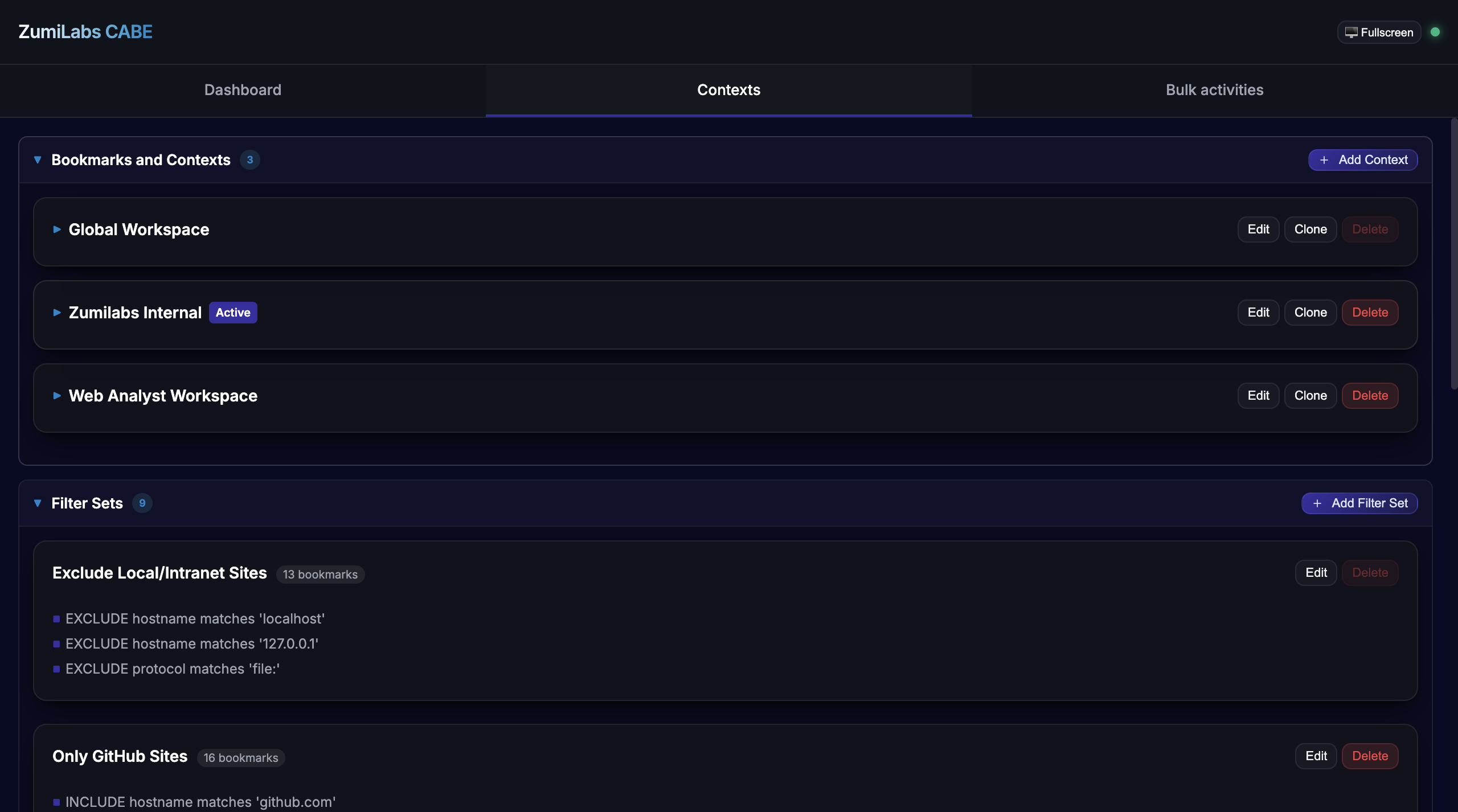
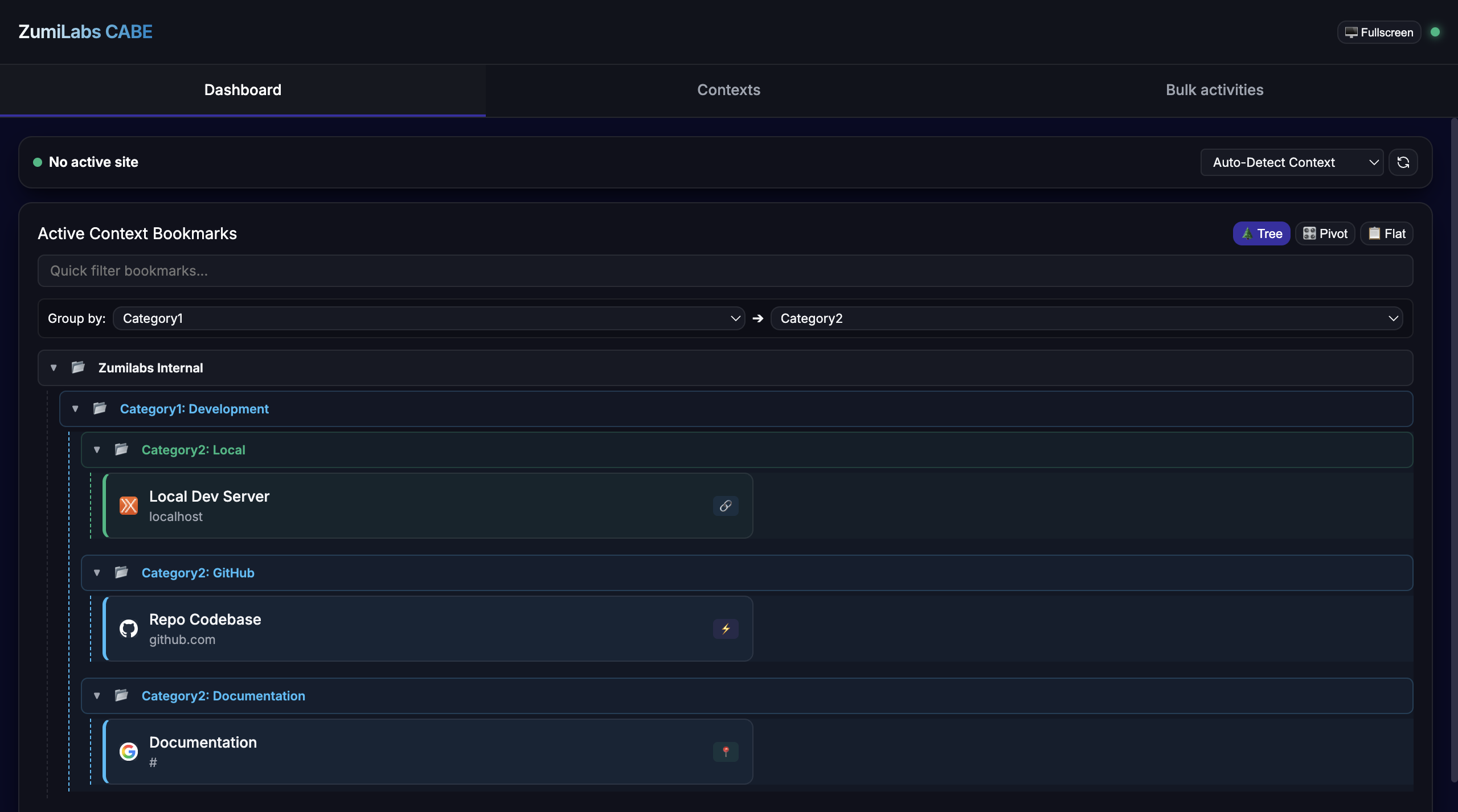
CABE watches which local network domains are reachable and automatically switches your bookmark panel to show the links relevant to that context — your staging environment tools, your client's internal resources, your local dev links. The right bookmarks are always front and centre.
Bookmarks that know what you're doing.
CABE isn't another bookmark manager. It's a context engine. The bookmarks it shows depend on where you are and what's reachable on your network right now.
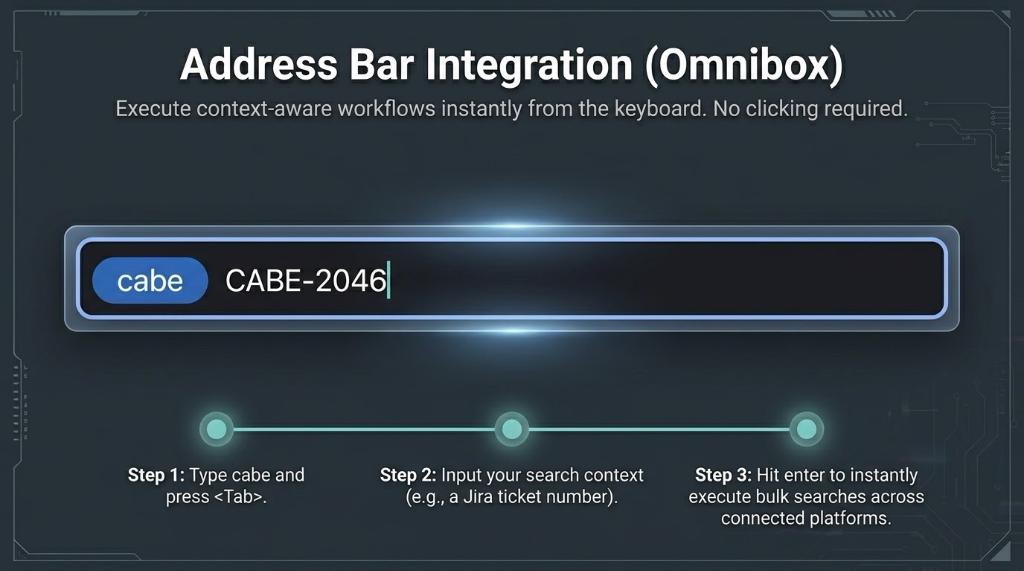
cabe in Chrome's address bar, press Tab, then type any search term. CABE runs the query through your active context's configured workflow — instantly, from the address bar you already use.One extension. Many workspaces. Zero switching friction.
Set up once. Switches automatically, forever.
Each context has a domain trigger — a URL that CABE tests for reachability in the background. The moment that domain becomes reachable (you start your dev server, you connect to the office VPN, you walk into the client site), CABE switches to that context's bookmark set automatically.
One bookmark template. Every environment.
Template bookmarks contain dynamic tokens that CABE resolves from the current active tab — the full URL, the domain, the path, query parameters, even specific path segments. Write one template and it produces the correct link for whichever environment you're currently in.
For example: a single "Open in Jira" template can map the repository name from your current GitHub tab to the matching Jira project — automatically, per-domain.
{{domain}} — the active tab's hostname{{path}} — the URL path{{query.param}} — any query string parameter{{domain}} or {{path}}https://jira.co/{{path}}, resolved: https://jira.co/browse/KAN-11Built for people who context-switch all day.
Common questions.
CABE makes lightweight HEAD requests to the domain trigger URL you configure for each context. If the request succeeds (the URL is reachable), that context becomes active. This uses the standard http://*/* host permission. CABE doesn't read page content — it only checks whether the domain responds.
No. All configuration — contexts, bookmarks, templates, and logs — is stored locally in Chrome's extension storage on your device. CABE makes no outbound requests except the reachability checks to your own configured domain triggers. Nothing is transmitted to ZumiLabs or any third party.
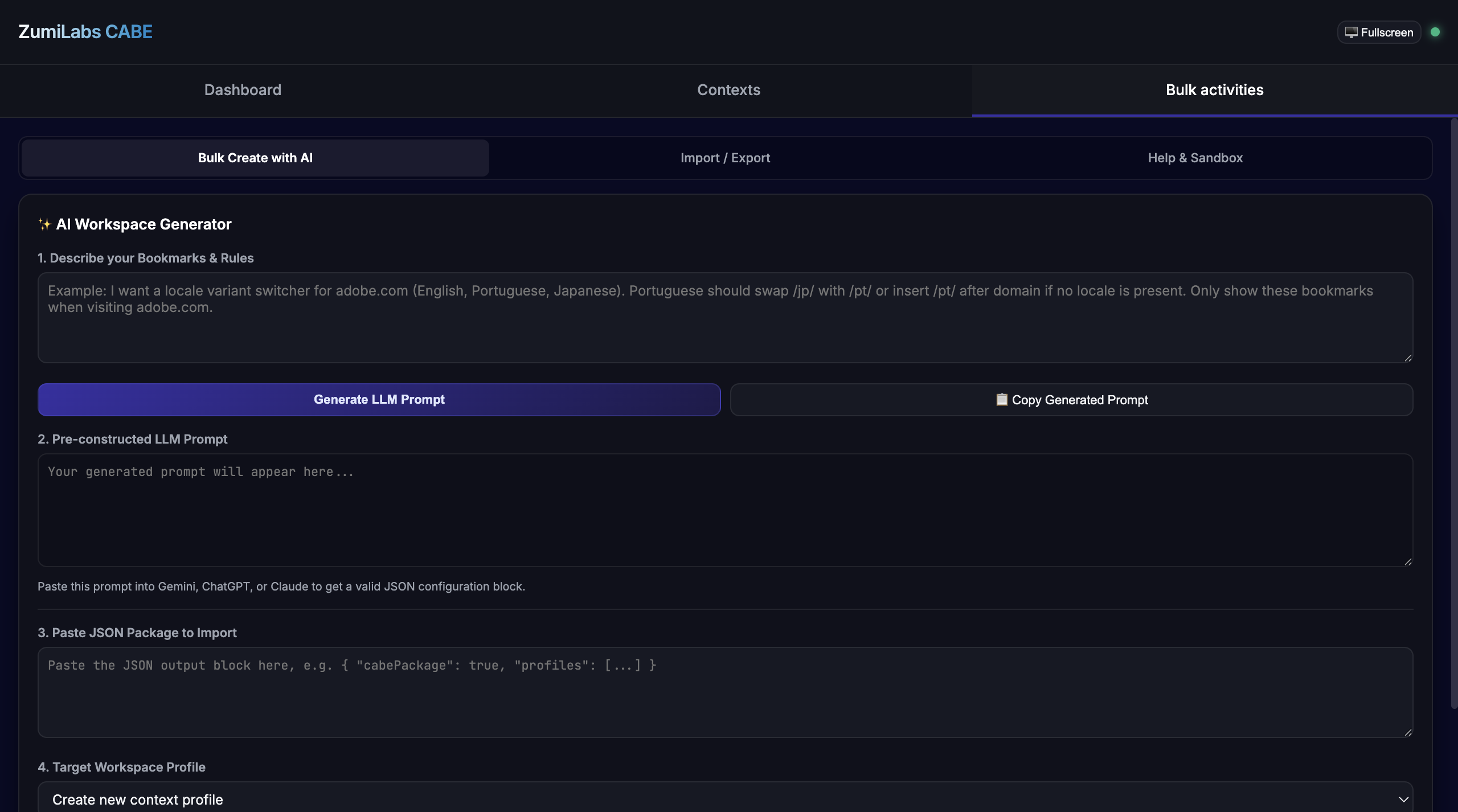
Yes. Export your configuration as JSON from one machine's CABE settings, transfer the file, and import it on the other machine. All contexts, bookmarks, and templates transfer cleanly. If Chrome sync is enabled, future versions may sync automatically — but the JSON export path always works.
Type cabe in Chrome's address bar and press Tab — Chrome activates CABE as a search engine. Then type any term and hit Enter. For example: type cabe [Tab] KAN-11 to jump directly to a Jira issue in your active context, or cabe [Tab] deploy logs to trigger a context-aware search workflow. The exact behaviour depends on how you configure the context's search URL template (using the {input} placeholder).
Chrome extensions run in a security sandbox that doesn't have access to network adapter information like the current Wi-Fi SSID. Instead, CABE uses domain reachability — it sends a lightweight HEAD request to a URL you configure as the trigger. If the URL responds, the context activates. This approach works reliably for local dev servers (localhost ports), office intranets, and VPN-only addresses, and doesn't require any special browser permissions beyond the standard host access CABE already needs.
If you're working from the ZumiLabs repository and want to load CABE directly into Chrome:
- Open Chrome and navigate to
chrome://extensions - Enable Developer mode (toggle in the top-right corner)
- Click Load unpacked and select the
apps/cabefolder from the repository - CABE appears in your extension bar — click it to open the side panel