 ZumiLabs
Know what’s worth your time
before you open it.
OmniBrief is a private reading queue that summarises articles, PDFs and YouTube videos before you commit to them. Queue links as you browse, get short written or audio briefs, and save the useful ones into a searchable local archive on your device.
Free by default. No markup, ever.
No subscription. No metered usage. No ZumiLabs fee added on top if you choose to bring your own cloud provider. Here's exactly what it costs.
On-device summarization
Chrome ships with a built-in AI model (Gemini Nano) that runs entirely on your own CPU/GPU. OmniBrief uses it by default for every capture, every search, every read-aloud — unless you deliberately switch to something else.
- ✓ No tokens burned — nothing is metered or billed
- ✓ No API key, no account, no card required
- ✓ Works fully offline, unlimited articles
Bring your own cloud key
Prefer GPT, Claude or Gemini Pro for a specific task? Paste your own API key into Settings. OmniBrief calls that provider directly on your behalf — we never route it through our own servers, and we never add a markup.
- ✓ You pay the provider's standard rate — the exact same price as calling their API yourself, no more
- ✓ ZumiLabs never sees the traffic or takes a cut
- ✓ Switch back to free/local instantly, any time
A faster way to handle links, research and video.
OmniBrief helps you judge what is worth opening, what is worth saving, and what you can safely skip — using local AI where available, with optional support for your own preferred model.
Designed for your daily browsing.
OmniBrief works quietly alongside your main browser window, helping you triage incoming research context, build a search archive, and listen to articles hands-free.
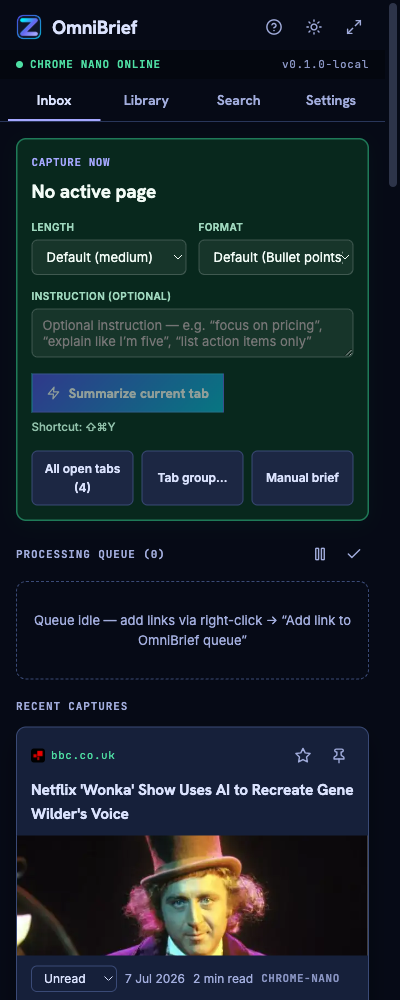
Queue and ingest articles & YouTube videos offscreen.
Triage your queue without getting overwhelmed. Right-click any URL on a page or queue open tabs directly. For standard sites, OmniBrief strips out ads and headers; for YouTube links, it fetches closed caption tracks directly to generate an easy-to-read brief before you read or watch.
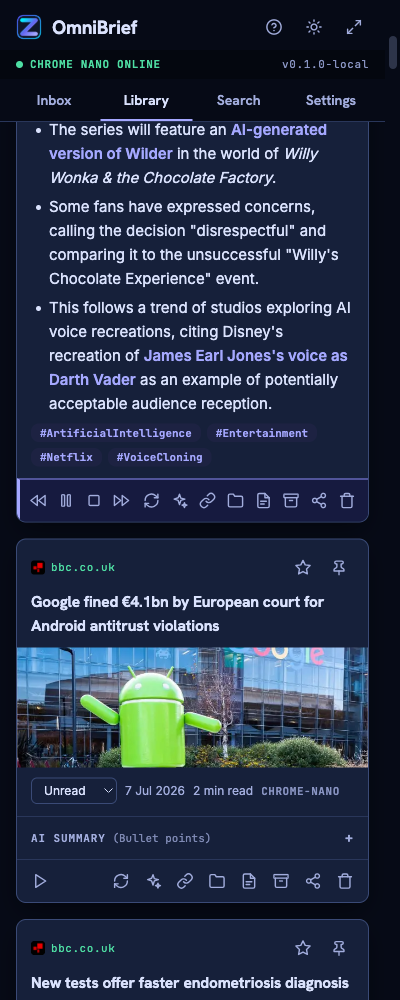
Instant speech readout for screen readers and multitasking.
Every summarized page is instantly ready to be read aloud. OmniBrief features built-in high-quality text-to-speech audio control, allowing you to listen to briefs. Screen reader users can save substantial time by listening to a short overview to decide if a page is worth opening.
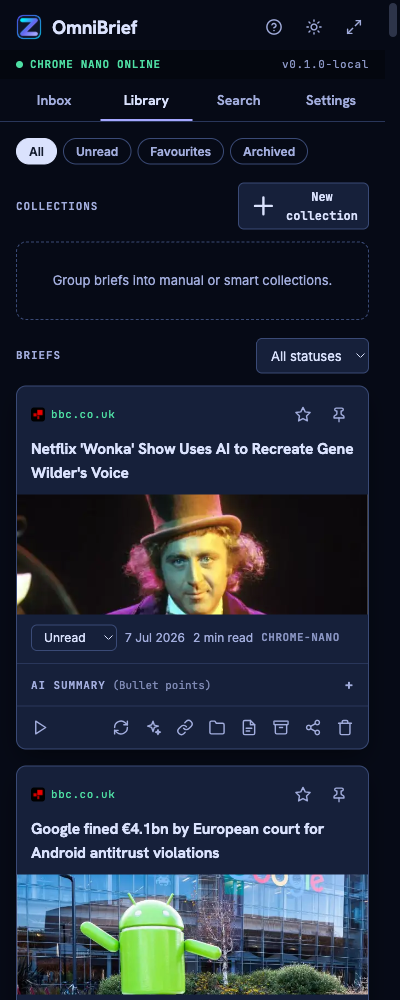
A smart, searchable library kept on your device.
Every web document you save is archived in a structured local collections catalog. Filter summaries by active keywords, auto-tags, read progress, or domain names. Perform concept-based semantic search offline to match topics based on ideas and meanings, even without exact keywords.
Read any language. Get the brief in yours.
The brief's output language has nothing to do with the page's own language. Land on a French, Japanese or German article and still get a summary in English — or whichever language you prefer.
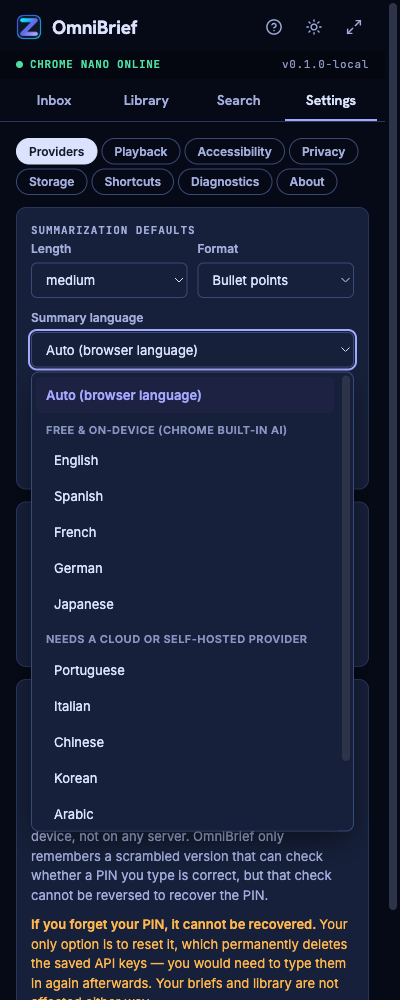
A default that just works, with a per-capture override when you need it.
Leave it on "Auto" and OmniBrief writes every brief in your browser's own language automatically — no setup required. Prefer something else, or want to translate one specific article on the spot? Set a global default in Settings, or override it right on the Capture Now card before you summarize.
The 5 on-device languages cost nothing and never leave your machine. The other 7 route through whichever provider you set up in Settings — a cloud API (Gemini, OpenAI, Claude — your own key, page content sent to that provider) or a self-hosted server (Ollama, LM Studio — stays fully local, just outside Chrome's built-in model). If you pick a language Chrome Nano can't produce while it's still your active provider, OmniBrief shows an inline warning right where you picked it — it never silently gives you a different language than the one you chose.
Recipes, videos and breadcrumbs — rendered, not re-written.
When a page publishes its own structured data, OmniBrief reads it directly instead of asking the AI to reconstruct it. Real ingredients. Real steps. Zero extra cost.
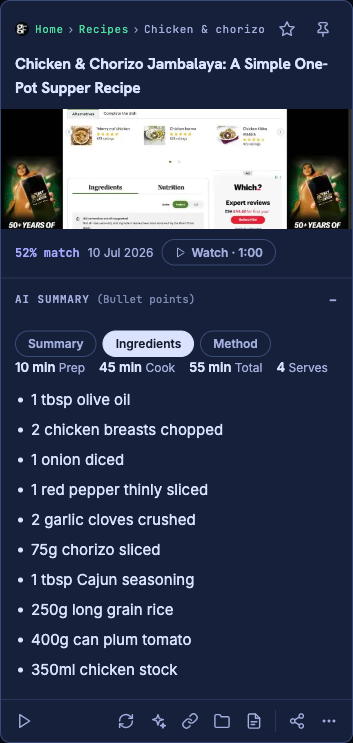
Real ingredients and steps, pulled straight from the recipe — not paraphrased by an LLM.
Most "AI summarizers" flatten a recipe into another paragraph of prose. OmniBrief looks for the same structured data (schema.org) that Google's own recipe rich-results use, and renders it directly: a genuine Summary / Ingredients / Method tab strip with exact quantities and steps, a clickable breadcrumb trail back into the site, and a video that plays inline when it can, or opens the original source when it can't.
Some videos — especially licensed broadcast clips — can only be embedded on domains their uploader explicitly allows. Rather than show you a blank, broken player when that's the case, OmniBrief skips the embed entirely and opens the real watch page in a new tab instead.
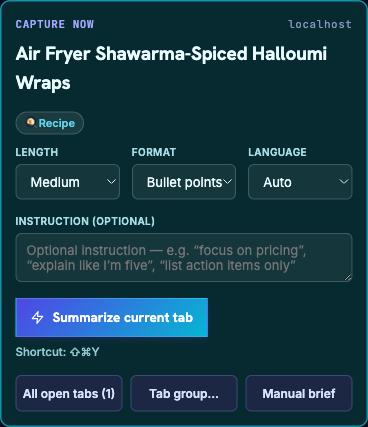
OmniBrief tells you what kind of page you're on — before you even hit Summarize.
Land on a recipe, a product page, a TV show, or an event listing, and a small chip appears right under the title in the Capture Now card — "Recipe", "Product", "TV / Movie" — the moment the tab loads. It's not a guess: the same detector that reads the page's structured data to build the tab strip and badges on your saved brief runs first, instantly, so what you see before capturing is exactly what you'll get after.
How we protect your data.
OmniBrief is designed to be local-first, ensuring you control what information leaves your device and how your keys are stored.
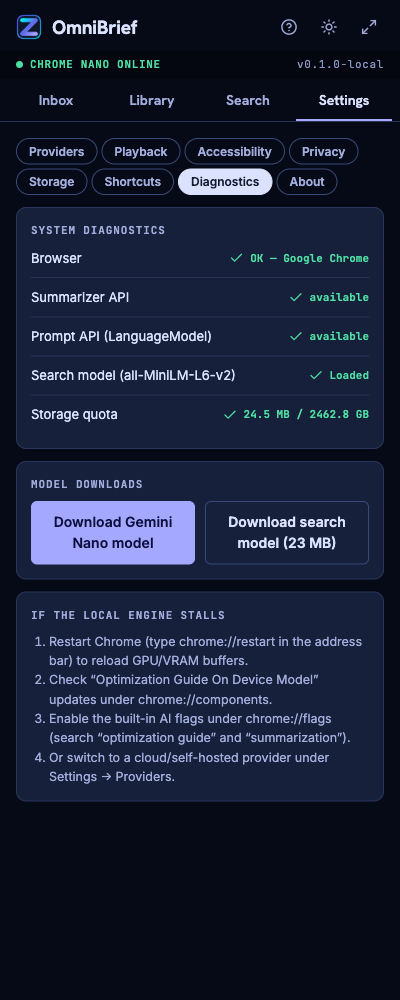
Your data stays in your browser sandbox.
Instead of syncing your private reading habits to central cloud trackers, OmniBrief stores digests locally in your browser sandbox. Each saved web page is isolated on your device containing your reading progress, markdown briefs, visual thumbnails, and concept vector indexes.
View File Layout & Storage Details
For technical users, saved pages are stored inside the Origin Private File System (OPFS) sandbox in the following layout:
├── metadata.json (title, tags, progress)
├── summary.md (markdown AI brief)
├── thumbnail.webp (captured page screenshot)
└── title_embedding.bin (384-d vector float array)
This allows offline local semantic search using WebAssembly vector models without calling external database services.
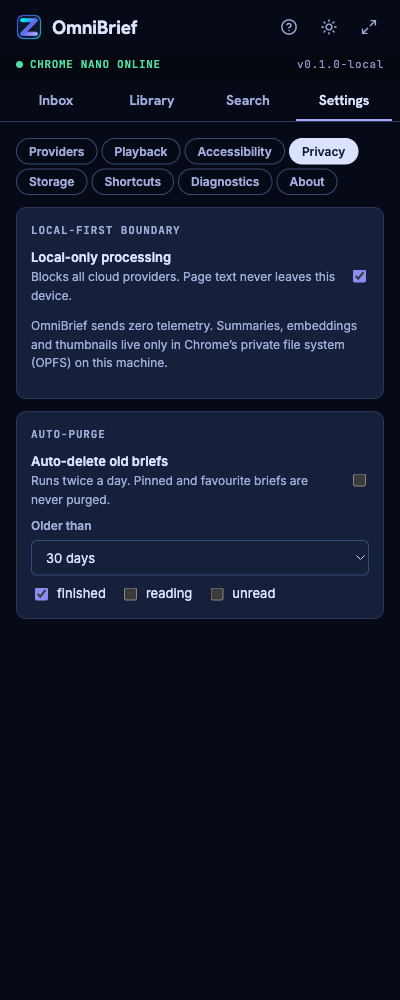
API credentials stored encrypted.
If you choose to connect premium external LLM models, your API credentials are encrypted client-side using industry-standard Web Crypto APIs. Decrypted keys are only ever held in temporary session memory and are wiped when the browser is closed.
View Encryption Specifications
OmniBrief protects your keys using the standard Web Crypto API:
- Cipher: AES-GCM-256 bit symmetric key encryption
- Derivation: PBKDF2 with SHA-256 and a random salt derived from a user-defined PIN
- Persistence: PIN is never transmitted, processed, or saved by ZumiLabs; decrypted keys exist only inside memory during active sessions
Frequently Asked Questions.
OmniBrief checks your browser automatically when installed and displays guided setup steps if Chrome's local AI model is not yet available. Generally, you need a recent version of Google Chrome (v138+) running on a desktop machine with on-device model components enabled.
Not by default. Summarization runs on Chrome's built-in Gemini Nano model directly on your own device — there's no API call, no token usage, no metering, and no account, so it's genuinely free with no catch, for as many articles as you want.
If you choose to connect a cloud provider (OpenAI, Anthropic, Gemini Pro) or a self-hosted server instead, you paste in your own API key under Settings and OmniBrief talks to that provider directly. You pay their standard rate — the same price you'd pay calling their API from any other tool — and ZumiLabs never adds a markup or sees that traffic.
No. OmniBrief is engineered to run entirely locally. All text extraction, database storage, vector calculations, and summarization inference occur directly inside your browser instance. We host no cloud databases or scraping servers, and we collect zero telemetry or usage metrics.
Ollama restricts cross-origin scripting requests by default. To let OmniBrief communicate with your local Ollama server, you must set the OLLAMA_ORIGINS variable:
macOS: Run launchctl setenv OLLAMA_ORIGINS "chrome-extension://*" in Terminal, quit Ollama, and restart it.
Windows: Add a user environment variable OLLAMA_ORIGINS with value chrome-extension://*, then restart the Ollama tray app.
Due to browser security policies, extensions cannot access local filesystem paths by default. To allow PDF processing, navigate to chrome://extensions, click **Details** on the OmniBrief card, and toggle **Allow access to file URLs** to **Enabled**.