What this article covers
From making course thumbnails with ZumiForge. Get ZumiForge, free for Mac.
Each thumbnail for our Digital Accessibility course was generated from a prompt that ended the same way:
No text, no letters, no numbers, no logos, no watermark.
Ten of the thirteen came back clean. Three came back covered in writing: labels, captions and table cells full of letter-shaped marks that spell nothing. We published them anyway, marked to be replaced, and then worked out why.
The three that failed
Here are the subjects of the three prompts that failed, with the style sentence left out:
- "A friendly form floating in space, each input field with a bold attached label tag, and a large key…"
- "A smartphone with a floating dialog panel lifted above a dimmed screen…"
- "A film strip unrolling with bright caption bars beneath each frame, a framed photograph wearing a small label tag, and a neat grid table…"
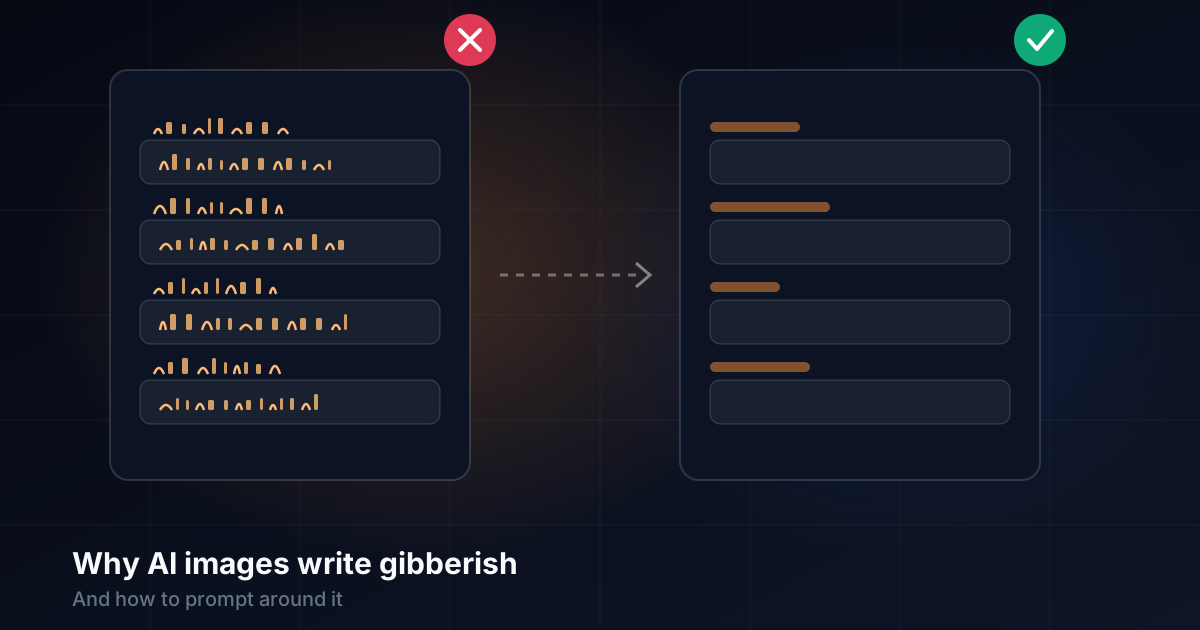
The pattern is obvious once they sit side by side. Every failure asked for an object whose whole purpose is to hold writing: a form, a label, a dialog, a caption, a table. The model drew what those things look like, and what they look like includes text.
Why it happens
Image models learn from huge numbers of pictures paired with descriptions. In those pictures, labels have words on them, forms have field names and tables have figures. To the model, writing is part of what a label looks like, like a handle on a mug.
Many models also learn letters as shapes, not as spelling. So they reproduce the texture of writing (strokes, spacing, rows of similar marks) without forming real words. The result is text that looks right at a glance and falls apart when you read it.
Newer models trained specifically for text, such as Ideogram and the large cloud models from Google and OpenAI, can now spell short words reliably. The fast local models we use for most illustration mostly can't.
Why "no text" doesn't work
A negative instruction at the end of a prompt is weak for two reasons.
First, mentioning text puts text in the prompt. The words "text", "letters" and "numbers" are now part of what the model is attending to, next to a form and a label tag that strongly suggest them.
Second, the subject wins. A prompt that spends twenty words describing a form and five words saying "no text" is mostly a prompt about a form. Some tools have a separate negative prompt field that works better, but the fast "turbo" models often reduce or skip the mechanism that applies it.
So the instruction helps a little, and we keep it. But it can't overrule the subject.
What worked: remove the invitation
For the next series we changed the subjects, not the warning. Every prompt avoided things that ask to be written on, or described them as plain shapes:
| Asks for text | Draws the same idea without it |
|---|---|
| A form with labelled fields | A stack of rounded blank bars |
| A sign with directions | Arrows and coloured paths |
| A screen showing a page | A screen of simple coloured blocks |
| A table of results | A grid of coloured squares |
| A book or document | A closed book, or a page of soft grey lines |
| A progress bar with a percentage | A progress bar steadily filling |
Abstract metaphors helped even more. The UX Laws series uses a seesaw for Tesler's law of conserved complexity, an hourglass for waiting time and stepping stones for progress. None of them suggests writing.
The result: all eight thumbnails in that series came out clean. Two had a sign and a card that could have carried text. Zoomed in, both were blank shapes.
Check every image zoomed in
Fake text is easy to miss at thumbnail size, and obvious at full size. So the last step for every set is to look at each image enlarged, paying most attention to anything rectangular.
When an image fails, the options, roughly from cheapest:
- Rerun with a new seed. Sometimes the next one is clean.
- Rewrite the subject to remove the object that invites text.
- Crop it out, if it's at the edge.
- Edit the area with an image-editing model, asking for the surface to be blank.
- Use a text-capable cloud model for that one image, if the picture genuinely needs words.
When you do need words
Sometimes a picture should say something: a name on a poster, a heading on a slide. Even then, it's usually better not to ask the model to write it. Generate the picture with a clean space where the words go, then add the text in the page or design tool. Real text is sharp at every size, can be corrected, translated and read by screen readers, and never comes out misspelled.
The short version
"No text" is a request, not a rule. Keep it, but don't rely on it.
Don't draw things that hold writing. Forms, labels, tables, signs and screens invite it. Describe them as shapes, or choose a metaphor instead.
Zoom in on every image before it ships.
Put real words in real text. Leave a space in the image and set the words yourself.
Compare models before you run the set
Send the same prompt to several local and cloud models at once, and see which one keeps your images clean before you queue the whole batch.
Get ZumiForge