What this article covers
From building ZumiForge. Get ZumiForge, free for Mac.
Almost every AI image tool is built around a single prompt box. You type, you wait, you get a picture, you type again. That suits making one picture. It doesn't suit most of the image work we actually do.
Our recent jobs look like this: eight course thumbnails in one illustration style. Thirteen more for another series in a different style. Six storyboard scenes with the same two characters. A product shot in four models to compare them. Each one is a set, and the set only works if its images belong together.
ZumiForge is designed around the set. These are the decisions that followed from that, and the problems each one solves.
One row per prompt
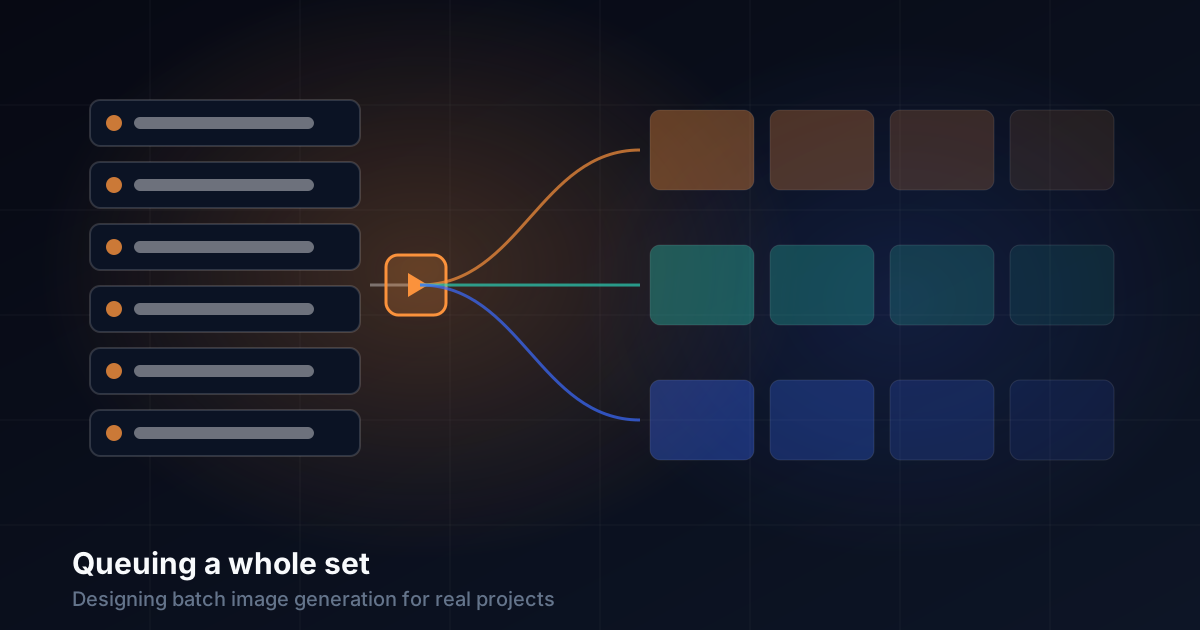
The main screen is a list, not a box. Each prompt is its own row that you can add, remove and edit, and the list stays after you queue it, so you can tweak one scene and run it again without retyping the rest.
Most sets start as text written somewhere else, so bulk import splits a script into rows at a line of ---:
SCENE 1 — THE WAIT
A woman waits at a Paris café…
---
SCENE 2 — THE NOTE
The waiter hands her a note…
Our course thumbnails use exactly this format: a text file with one prompt per episode, separated by ---, kept next to the course's other files. The prompt file is the source of truth, and the app is just how it gets run.
Say it once: templates and references
A set falls apart when each prompt describes things slightly differently. Two features keep it consistent:
- Templates. Describe a character, place, outfit or lighting once, and use it in any prompt with a tag like
{{character:marcus}}. Change the description and every scene that uses it changes. - Reference images, for the whole set or a single scene. For video, a scene's own image becomes its first frame.
For thumbnails we use the simplest version of this: every prompt ends with the same style sentence. "Layered paper-cut illustration with soft drop shadows and visible paper texture, palette of deep teal, coral and mustard yellow on a warm cream background…" is identical in all eight prompts for our UX Laws series. Only the subject changes.
One press, many queues
Press Queue once and every row becomes a job. The interesting decision is what happens next.
A single queue would be simplest, but it breaks quickly. A cloud video can take minutes, and a quick local image shouldn't wait behind it. So ZumiForge runs a queue per provider: the Mac works through local jobs while each cloud service works through its own, at the same time.
That also makes model comparison cheap. Tick several models and every prompt goes to each of them, so a scene comes back in four styles side by side. That settles "which model suits this?" faster than reading any comparison.
Before you press Queue, a summary bar says how many images or videos you'll get and estimates the cost from published list prices. Each finished card shows what it cost. Batches multiply prices, so the number should be visible before the batch, not after.
Failures are part of a batch
Run enough jobs and some fail. Across our first 2,444 jobs, 77 ended in an error, about 3%. A model wouldn't load, a service hit a limit, or a prompt was refused.
In a single-prompt tool you just try again. In a batch, a failed row needs a proper fix, so:
- Failed jobs stay in the gallery with their error, so they aren't lost among the successes.
- Retry sends the exact same job again: prompt, model, size, seed and references. That rules out "it worked because I changed something by accident".
- Any job can be stopped or removed while it waits, without touching the rest of the set.
A job record you can trust
The decision that turned out most useful wasn't visible in the interface at all. Every job is recorded with its exact prompt, the prompt before templates were filled in, seed, size, steps, guidance, model, status, timings and output file.
That record answered a real problem. After generating a set of thumbnails, we picked "the last 13 images in the output folder" to install. Two of them came from an older run of different prompts. The file times looked right, but they weren't the set.
The fix was to stop trusting the folder and use the record. For each prompt in the file, find the finished job with exactly that prompt and take its output. If there's more than one, take the newest. Each prompt in our next series matched exactly one job, and the wrong-image problem went away.
The record also lets the gallery search everything you've made by prompt, model, type or status. That's how the timings in our article on local models were measured.
What I would tell someone designing the same thing
Design for the set. Ask what the user is making, and you'll find it's usually several pictures that must belong together.
Keep the prompts outside the tool. A plain text file that imports in one step is easy to version, review and reuse.
Don't let slow jobs block fast ones. Give each provider its own queue.
Make retry exact. A retry that changes anything isn't a retry.
Record everything about every job. Choose outputs by their record, never by file name or time.
Write the scenes. Queue them all.
Paste a script of prompts, give scenes their references, and press Queue once. Free local models on your Mac, cloud models with your own keys.
Get ZumiForge