What this article covers
- How I tested
- Speed: the GPU is the whole story
- Check for the right GPU, then refuse
- Memory, and why the work belongs in a worker
- Languages: confident nonsense
- Long files: overlapping pieces, joined at the middle
- Word times from CTC frames
- Downloads, caching and hosting
- Licences and what gets reported
- The real finding: words and speakers can be separate
- Limitations
- What I would tell someone building the same thing
Part 5 of 7 in the Building ZumiScribe series. Try ZumiScribe, free in your browser.
ZumiScribe is our transcription app. It is a web page with no server of its own: you either paste a key for a cloud speech service, or use an engine on your own device. The first private option was a local engine you install on a Mac: NVIDIA's Parakeet model with a separate speaker model, Sortformer, about 6 GB installed, with nothing leaving the machine. It works, but "install 6 GB first" is a big ask.
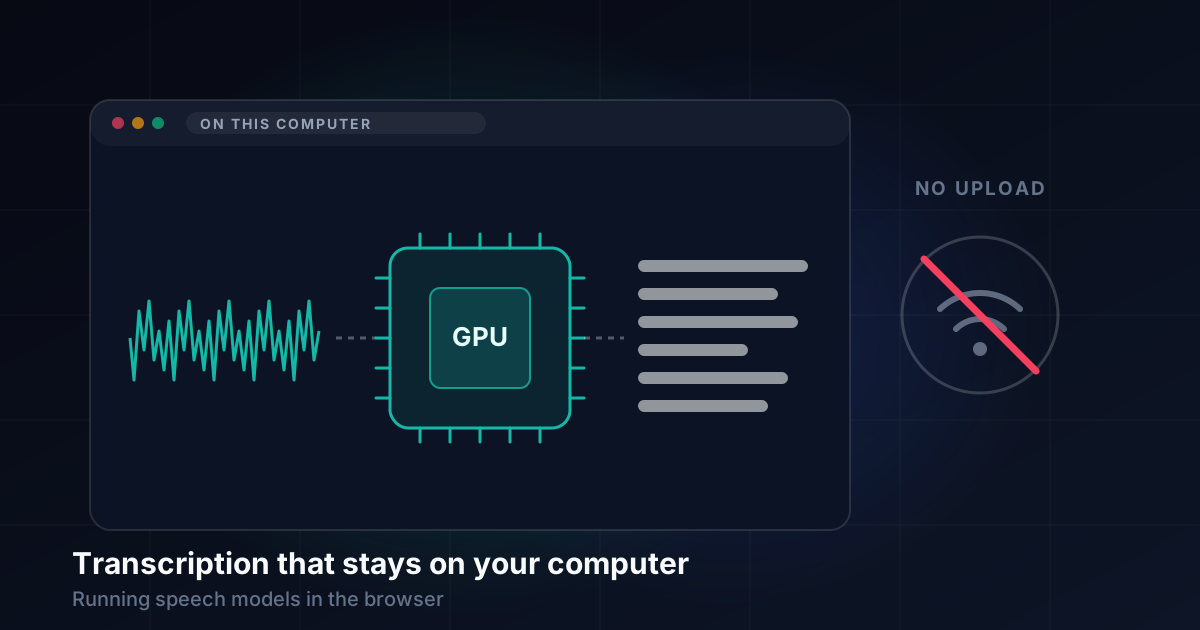
So I wanted to know whether the browser itself could do the job on a real recording: half an hour of several people talking, turned into timed lines with speaker labels, with no upload. I tried two engines that run in a page on WebGPU:
- Voz + Who from Desert Ant Labs. Voz is NVIDIA Parakeet TDT 0.6B v3 (the same weights as our local Parakeet engine) running in their own runtime. Who is their speaker-labelling model.
- IBM Granite Speech, specifically
granite-speech-5.0-470m-turboctc, a small CTC model that writes cased, punctuated text in a single pass. It does words only.
How I tested
Everything was measured on one machine: a high-end Apple silicon Mac with 128 GB of memory, on mains power, in a Chromium-based browser with WebGPU on Metal and the shader-f16 feature available. I also ran each engine under Node, because the plan included a small service in our Mac app.
The main test file was a 31-minute recording of five people. I also used a 5-minute conversation, a short broadcast clip with music behind the speech, short clips in French, German and Japanese, and one with an English sentence followed by a German one. For accuracy I compared against a commercial cloud service's transcript, which is a reference, not ground truth.
One machine and a handful of files. Hold that in mind for every number below.
Speed: the GPU is the whole story
On the GPU, both engines were startlingly fast.
Granite in the browser transcribed the 31-minute file in 6.7 seconds, about 280 times real time, in a single pass. Under Node with onnxruntime-node's WebGPU provider it was 6.5 seconds. One 10-second window took 53 to 60 milliseconds in either runtime. Voz was fast on the GPU too.
Then I took the GPU away. Voz falls back to the CPU on its own, and in the browser that ran dramatically slower. Nothing fails. It just gets slow enough that anyone would assume it had hung.
Outside the browser the CPU is more usable. Granite under Node on the CPU ran at about 40 times real time, enough for files with no GPU at all. Voz under Node was usable on the CPU, and much faster once switched to onnxruntime-node's WebGPU provider.
One more trap: a hidden tab is slow. With the browser pane hidden, a Granite window took 240 to 390 milliseconds instead of 60, and the 31-minute file took 41 seconds. Live recording in a background tab still keeps up, but nothing should be measured or tuned with the tab out of sight.
Check for the right GPU, then refuse
The obvious check is navigator.gpu. It is not enough: the browser can have WebGPU and still leave you on the slow fallback. So the in-browser providers ask for a WebGPU adapter with shader-f16 before they start, and if there is none they refuse with a plain message that names the model. Refusing in the first second is far kinder than running for half an hour.
The same applies to devices that are simply too small. Loading the Voz + Who models in an Android browser made a phone restart, so those providers are not offered on phones or tablets at all, and Granite's in-browser speaker labels are switched off there for the same reason.
Memory, and why the work belongs in a worker
During the 31-minute run with Voz and Who, the browser tab's process used several gigabytes: the decoded audio, the original file and both models. Granite in one pass under Node peaked at 2.9 GB, and memory grows with the length of the file. On a busy 8 GB laptop that could mean swapping, which is worth saying up front.
The bigger surprise was Who. In the browser it runs for minutes without yielding to the page; my test page only stayed responsive through a hook that paused for 0 ms every 30 ms. So a Web Worker is required, not optional. The worker does the speech model and the speaker model; the page draws progress.
Workers brought their own small lessons:
- Import order matters. Who's bundle starts fetching its WebAssembly runtime as soon as it is imported, not when you call its load function. So it is only imported inside the worker, and only when speaker labels are wanted.
- A worker has no
localStorage. The Desert Ant SDK keeps a device ID there. Without lending it storage from the page, every worker start counted as a new device. - Cancelling means terminating. The only reliable way to stop a run is to end the worker.
- Don't make the words wait for the speakers. The worker posts the words first and loads the speaker model afterwards.
Who also reports no progress, so the card now shows elapsed time against an estimate from the recording's length, and says "taking longer than estimated" when a slower machine runs past it.
Languages: confident nonsense
Voz has no language option. It detects the language by itself, and it handled a sentence in English followed by one in German correctly.
The worrying part was a language it does not cover. A short Japanese clip came out as romanised nonsense that looked like fluent text, with no error. A transcript that is obviously broken is easy to spot; one that reads like words is not. So ZumiScribe does not send the language setting to Voz, but warns before starting if Settings names a language outside Parakeet's 25.
A short French clip also lost the end of its last word, so watch for clipped endings on short files.
Granite covers seven languages: English, French, German, Spanish, Portuguese, Italian and Japanese. The short French, German and Japanese clips were word-perfect, and the mixed clip was right apart from one word. Its provider refuses a language outside the seven with a clear message.
Long files: overlapping pieces, joined at the middle
IBM's browser engine for Granite has a speech gate that cuts the audio at pauses. On the broadcast clip with music behind it, the gate decided long stretches were silence and never transcribed them: 21 pieces covering about 55 of 158 seconds. The word error rate was 58.5%, against 22.8% for one pass over the whole file. The gate is tuned to a quiet room, so I do not use it.
What works is boring: cut the file into fixed pieces, let each hear a few seconds either side, and keep each word in the piece that holds its midpoint. With 2 seconds of overlap there was no measurable loss; 10-second pieces scored 21.5%, slightly better than one pass. ZumiScribe uses 120-second pieces with 3 seconds either side, which bounds memory for any length and gives the progress card something to count.
Pieces do not decode identically to one pass: on the 31-minute file, 300-second pieces differed by about 5%. That is mostly not join damage. Gain control works per piece and the model sees different context, and the accuracy scores show the variants are as good as the whole pass.
Word times from CTC frames
To put speaker labels on words you need word times, and Granite does not give them. It returns one token per output frame, each 80 ms of audio, so a word starts at its first token's frame and ends after its last.
Against Voz's word times on the 5-minute conversation, for the 773 words both engines gave, starts were a median of 0.05 seconds apart (90% within 0.14 s) and ends a median of 0.10 seconds apart (90% within 0.34 s). Ends are rougher because CTC tends to fire early in a word. With the same speaker turns, 772 of those 773 words got the same speaker from our join function. That was the result that mattered.
One bug showed up live: Granite often puts a full stop at the very end of the audio it is given, so the last word's end touched the edge of every pass and never settled. A lone punctuation mark now adds to a word's text but not its time.
Downloads, caching and hosting
The first use downloads the models: about 312 MB for Granite, and a few hundred megabytes for Voz and Who. For a while we downloaded them on every start.
Chromium refused to store the large files in Cache Storage ("Unexpected internal error"), and both IBM's engine and the Desert Ant SDK carried on regardless. The fix was the origin private file system, where size is not a problem: each file is written whole or not at all, and a kept copy that fails to load is dropped and fetched again. Granite's cold load went from 9.5 seconds with the download to 3.4 seconds with none. Loading Voz and Who in a new worker sped up in the same way.
A related failure: a cut-short download of a WebAssembly runtime stayed in the HTTP cache and broke every later start. Each runtime file is now checked with WebAssembly.validate and refetched if broken.
Hosting is mostly about what you may mirror. Granite loads from a pinned commit of IBM's Hugging Face Space, which sends the right cross-origin headers and allows range requests; since a demo Space could vanish, a mirror of our own, which Apache 2.0 allows, is the fallback. For Voz and Who only our bundled JavaScript is committed. The larger binaries come from public CDNs at pinned versions, and the model weights come from Hugging Face through the SDK. We do not mirror those, because the licence forbids distributing them on their own.
Licences and what gets reported
This mattered as much as speed.
Granite is Apache 2.0: no device cap, no telemetry, no ban on hosted use, no limits on the output. We ship IBM's licence and say what we changed, and our vendoring script refuses the similarly named -nc model, which is non-commercial.
Voz and Who are under the Desert Ant Labs Source-Available License: free within its usage limits, not to be offered as a hosted service, and no training on their outputs. So they carry attribution, and our Mac service listens only on 127.0.0.1, never on a company server. Their counting sees that service as a "server" platform, so whether it counts as on-device use is something to confirm with Desert Ant.
They also report usage. Once a month each model sends a random device ID, the app's name (the site's host name on the web), the model and its version. No audio, text or file names, and it cannot be turned off. So the line we use for our Parakeet engine, "nothing is sent anywhere", cannot be copied to them. The notice says exactly what is sent rather than "anonymous", which is arguable when the ID persists, and it is shown before the first file and on the progress card. The models still run if the licence server is unreachable, so offline use works once they are cached.
The real finding: words and speakers can be separate
The rule for any transcriber in ZumiScribe is that it must label speakers, because the app is built around who said what. That rule is why Whisper was left behind: we ran it first, then moved to Parakeet with Sortformer, which gives speaker labels live.
Granite has no speaker output either. But a fast words-only model plus Who, joined by word times, met the requirement in the browser and on the Mac. With Granite, speakers are a choice: with them off, Granite reports nothing to anyone. With them on, Who's licence and usage count apply.
We then did the same to our own engine. "Local (Parakeet + Who)" switches off its speaker step, the slow part, which handles up to four voices. It writes the words in seconds and Who labels the speakers.
It also reopens Whisper. Paired with Who, it would bring about 99 languages, against 25 for Parakeet and 7 for Granite. Against it, Whisper is larger and slower than Granite and is known to invent text during silence. I have not tried it yet.
Limitations
- One machine. Every figure is from a single high-end Apple silicon Mac. A plain M1, Safari, Firefox, smaller GPUs and their limits on a long single pass were not tested.
- A handful of files. Accuracy is measured against another service's transcript, not a human reference, on a few clips. Granite also drops fillers and false starts and writes numbers as numerals, which makes error rates hard to compare without normalising.
- Who's run-to-run variation. The same audio can come out with different speaker splits, and on the broadcast clip Who heard one voice over the music.
- Desktop Chromium is the main target. Firefox has no WebGPU by default, and phones are not offered the heavy providers.
- First use needs the network and several hundred megabytes, for each browser.
What I would tell someone building the same thing
Check for the GPU you need, not the API. Look for an adapter with shader-f16, and refuse clearly if it is missing. A silent CPU fallback is a feature that seems to hang.
Put everything in a worker from day one. The speaker model alone will freeze a page for minutes.
Treat silence from the model as suspicious. An unsupported language does not produce an error. It produces something that looks like a transcript.
Don't trust a speech gate on real audio. Fixed, overlapping pieces with a midpoint rule were simpler and lost nothing.
Check that your cache actually caches. We downloaded hundreds of megabytes on every start without noticing.
Read the licence before the benchmarks. What gets reported, and where you may run it, decided more of the design than the speed did.
Split the problem. Words and speakers do not have to come from one model, and separating them gave us more options than any single engine.
Transcripts that know who said what
Live captions, speaker labels, pictures in context and summaries, in your browser. There is no ZumiScribe server: transcripts stay in your browser or your own folder, and you choose which transcriber hears the audio, including ones that run on your own computer.
Try ZumiScribe