What this article covers
- Three things that can each be wrong
- The commonest failure: a new person starts and nothing happens
- One click to split, and naming later
- Holding a speaker while recording
- "Is that Priya?": letting the engine catch up
- A manual mode for when the engine can't be trusted
- The Voices panel, and reviewing by ear
- Attendees: the cheapest signal there is
- Why merges are suggested, not automatic
- Limitations
- What I would tell someone building the same thing
Part 4 of 7 in the Building ZumiScribe series. Try ZumiScribe, free in your browser.
The words come out well. Then you read the transcript back and Alex seems to be answering his own question, or Sam's first three sentences sit at the end of Priya's paragraph. Telling speakers apart (diarization) is a separate problem from recognising words, and the engines are much less dependable at it. I can't fix the engines. I can make correcting them fast during the meeting and thorough afterwards.
Three things that can each be wrong
A single coloured name on a bubble hides three separate layers:
- Voice: what the engine reports, which is just a number such as Voice 2.
- Person: who the user knows is in the room, such as Priya.
- Bubble: the stretch of text on screen.
Each layer can be wrong on its own. The engine can split one person into two voices after a cough or a move away from the microphone. It can merge two people into one voice. It can put a one-word "yeah" on the wrong voice. Or the voices can be right and the bubble boundary wrong, with a sentence cut in half between two people.
On screen all of these look the same: a wrong colour. The fixes differ, and early versions made the user work out which problem they had first. My design review grouped the scenarios by where the fault lies: voice and person not lining up, the boundary in the wrong place, the user's own mistakes, and errors scattered through a whole transcribed file.
The model underneath came out of that. A voice is assigned to a person, and many voices can map to one person, so "merging" two voices just means giving both to the same person. A single bubble can carry an override that points somewhere else without touching the voice's assignment. What a bubble shows is its override, otherwise its voice's person.
The commonest failure: a new person starts and nothing happens
One scenario comes up far more than the rest. Priya has spoken two sentences. Sam starts talking. The engine still reports the same voice, so Sam's words appear as the live italic line under Priya's bubble, and once final they join it. The user wants one quick action: "this is a different person, in their own bubble".
My first two answers did not hold up. Moving the live line to a person applied to that line only; the next line went back to the engine's voice, so the user chased the problem line by line. Then a pin: tap a person to say "this is them from now on". It let go when the engine reported a different voice, or after about five seconds without words. People pause to think or look at a slide, and pass five seconds easily. Splitting worked, but only once the words were final, and only by selecting text.
One click to split, and naming later
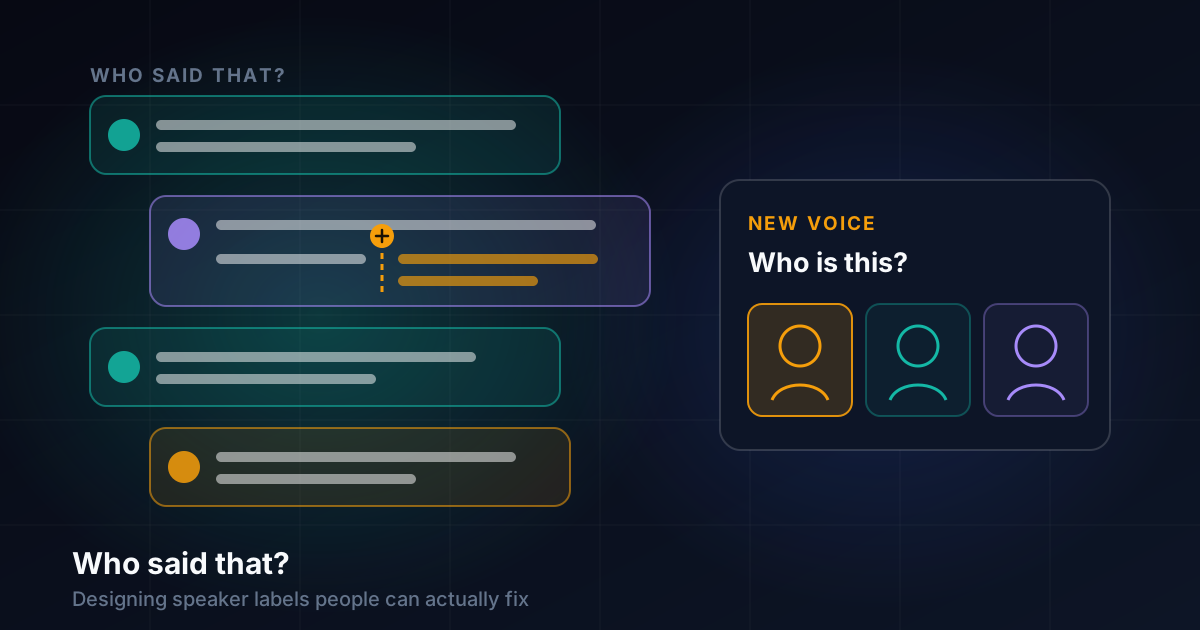
The first version of the replacement put a small button after each sentence of the newest bubble, plus one for speech still to come while recording. A right-click anywhere in any bubble offers the same thing at the exact spot. Pressing it says "a new speaker starts here".
Originally a click opened a short list of people. After using it live I flipped that. Now one click starts a new bubble with no one chosen, and a double-click, right-click or long press opens the list of people instead. The new bubble is left selected, so a click on a name in the panel moves just that bubble.
My reading of why the flip works: in the moment, the split is the urgent part, because it is what stops the next speaker's words piling into the wrong bubble. Who it was can be answered a second later, or after the meeting. Forcing the name into the same gesture made the urgent part slower.
One smaller lesson: the buttons keep their space on every bubble but stay invisible, so the text never shifts when they appear. They show on the newest and selected bubbles, under the pointer, or everywhere if a panel setting is on.
Holding a speaker while recording
The split solves the bubble. It doesn't solve the next ten sentences. For that, choosing a person while recording now holds them: new speech is shown as that person until the user chooses someone else or presses Escape. It does not let go after a silence. That was the fix for the pin.
When the engine hasn't said who is speaking, the live words show a grey "Speaking... Who is it?" label. Clicking it gives a list of people, and the one chosen is held; the engine's later labels for those words are taken without a question. The list is ordered simply: attendees nobody has been matched to yet, then the most recent speakers, then a new attendee.
"Is that Priya?": letting the engine catch up
If the engine eventually notices the new person and reports a different voice, the app has two opinions. I decided it should not argue: while a person is held and the engine hears a new voice, a notice asks "Is that Priya?".
The design review wanted the general new-voice prompt to work the same way, replacing a plain "Who is Voice 4?" list with a short ranked guess:
New voice. Is this Priya? [Yes] [No, someone else] [Not a participant]
What shipped is a little less than that, and I want to be precise. The "Who is Voice 3?" prompt now lists the likeliest name first, with the reason as a tooltip: the person just spoken to (a "Thanks, Priya" in the last few bubbles), the name this voice had last time, then people who have not spoken yet. There is a Not a participant button in meetings and panels that marks the whole voice as Other, with Undo.
Other exists because a recorded greeting, hold music or a television in the next room all turn up as voices. It is offered in every list of people, appears as "Other" in exports, and is included in summaries by default, since a recording played mid-meeting can be part of what happened. A setting can leave it out.
A manual mode for when the engine can't be trusted
Sometimes the engine's voices are close to useless, such as a room of people on one microphone. A pill in the legend bar offers Auto, Assisted (the default, and for now the same as Auto) and Manual. Manual shows a strip of large buttons while recording, one per person, with keys 1 to 9. A press holds that person by default, or lasts for the next sentence only, or until the engine hears a different voice (the old pin, kept as an option). Back 10 s gives the last ten seconds of text to the held person, because people notice late. When the engine hears another voice, the strip offers "Same as Priya" or Ignore. It is never forced on the text.
The Voices panel, and reviewing by ear
All of this sits around the Voices panel on the right (a bottom sheet on a phone). You select a bubble, or some text in it, and click a name, for this bubble or all of that voice. At its top are three tools that work after the fact.
Review voices opens a dialog with a card per voice: how many bubbles and how much time it has, and a few of its bubbles to play (in order, longest, shortest or a random few). Each bubble can be left, given to another speaker, or edited. The whole voice can be renamed or given to another speaker, which merges the two. Everything can be undone, and playing needs the recording's sound. Reading a transcript, you guess who spoke from the words; listening to three short clips side by side, you simply know.
Check finds places where a label is probably wrong and shows them one at a time on a card that jumps to the bubble. It looks for a one- to three-word bubble between two bubbles of the same person, a voice that says one thing and nothing else, a sentence cut off at a change of speaker, a "Thanks, Sam" answered by someone other than Sam, a question answered by the same voice, and more voices than people listed. Each card offers a direct fix ("Make it Sam"), "Someone else...", or "It is fine". Check reads only the words and who they are given to, with no audio, so it can miss things.
Who is the heavy option. It listens to the whole recorded sound and gives every sentence to the voice that speaks it, cutting bubbles where the voice changes. It needs the recording stopped and its sound kept. It also replaces every speaker you assigned, both names given to voices and bubbles moved by hand, so it says so and asks first, every time, whether or not you have named anyone. I made that warning unconditional because the cost of a surprise is losing hand-made work.
Attendees: the cheapest signal there is
The ranked lists, the prompts and Check's "more voices than people" all lean on knowing who is meant to be there, so getting that list should cost nothing. Attendees can be pasted from a meeting invite (Google Calendar, Outlook, Teams, an .ics file or a list of addresses); rooms and dial-in numbers are ignored, people who declined are left out, and the addresses are never kept.
You can also paste a screenshot of a calendar event or a participants list, and the title and people are read from the picture, with Chrome's own text reader or, after asking, Tesseract.js downloaded once. The picture never leaves the computer, and names it couldn't read cleanly are listed for you to type. The first version read real screenshots badly; the fix was reading word by word, dropping weak words and toolbar text, and not adding anyone twice.
Why merges are suggested, not automatic
When the engine splits one person into two voices, the obvious move is to merge them automatically. I chose not to, because a new voice is ambiguous. It might be the same person after a cough or a change of device, someone who arrived late, or a television. From the labels alone these look alike, and a wrong automatic merge hides one person inside another where the user may never notice.
So ZumiScribe suggests. When a recording is not running, a voice that said only a few words between other people's bubbles is offered for merging into the person next to it, never for named people or in a two-person call. Review voices makes a merge one deliberate click, and Check flags a stray voice without acting on it. Everything has an Undo.
Limitations
- The engines still decide most labels. This makes mistakes cheaper to fix, not rarer.
- The local engine's own speaker step separates up to four voices. Who has no such limit but gives one speaker per sentence.
- Check reads only the words, so it misses mistakes only the audio would reveal.
- Who needs the sound kept and the recording stopped, refuses a file played live with pauses (the times no longer line up), and replaces hand-made assignments.
- Not built yet: a key to start a new speaker, a ranked guess beyond "unmatched, then most recent", a cue at pauses, and the three press lengths on the new-speaker action (Manual's strip has them).
- The design review also proposed giving a voice to a person from a point in time onwards (today "From here on" works within one bubble), keeping engine reconnects apart, marking crosstalk, and locking hand-made fixes against relabelling. Those are still open.
What I would tell someone building the same thing
Separate the layers before you design the buttons. Voice, person and bubble go wrong independently. One control for all three will always be ambiguous about what a click does.
Find the commonest failure and make it one action. For me it was a new speaker the engine didn't notice.
Split now, name later. The urgent part of a correction is often the structure, not the label.
Don't let a user's choice expire on a timer. People pause for longer than you expect. A hold that lasts until the user changes it is more predictable.
Let the engine catch up, but ask. One question ("Is that Priya?") beats either side silently winning.
Review by ear. Short playable samples per voice beat reading a transcript.
Suggest merges, don't perform them. A wrong automatic merge is quiet and hard to spot. A suggestion with Undo is neither.
Warn before replacing work, every time. Even when you think nobody has corrected anything.
Transcripts that know who said what
Live captions, speaker labels, pictures in context and summaries, in your browser. There is no ZumiScribe server: transcripts stay in your browser or your own folder, and you choose which transcriber hears the audio, including ones that run on your own computer.
Try ZumiScribe